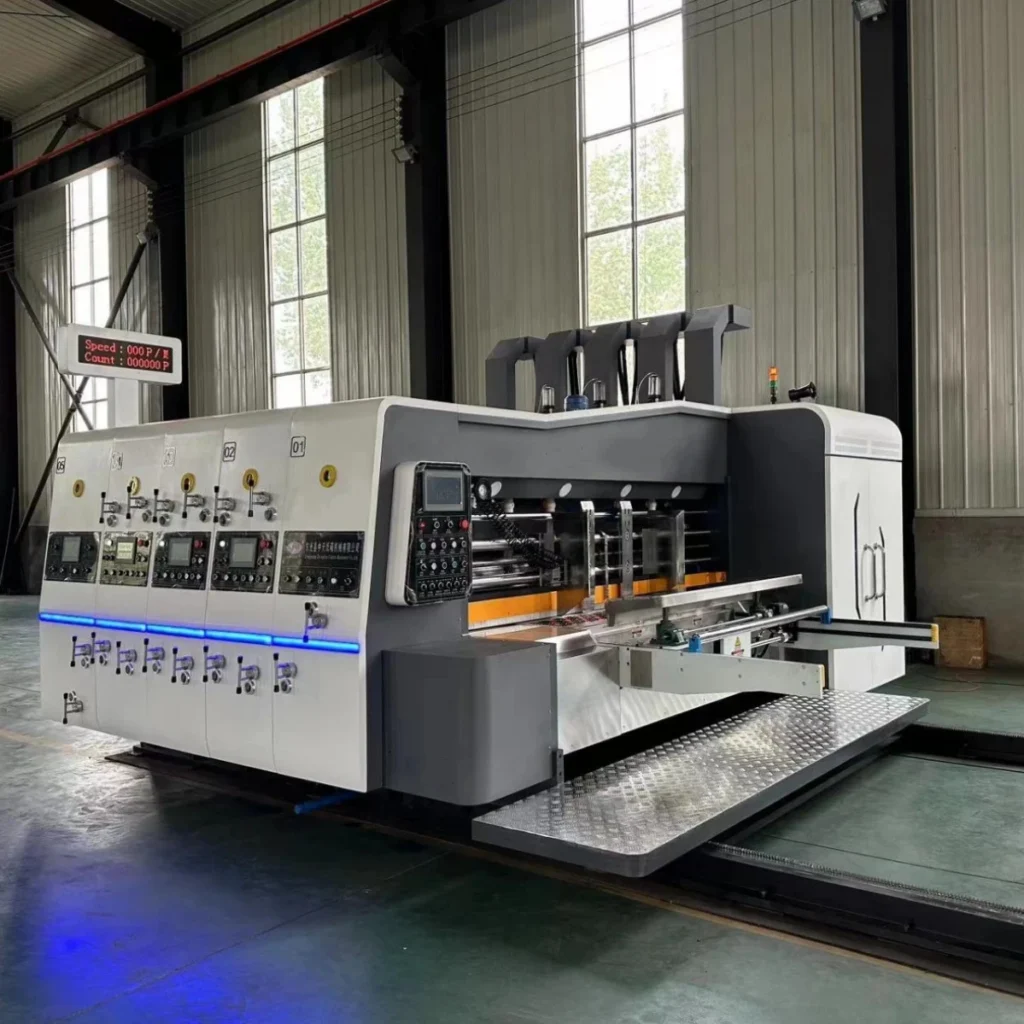
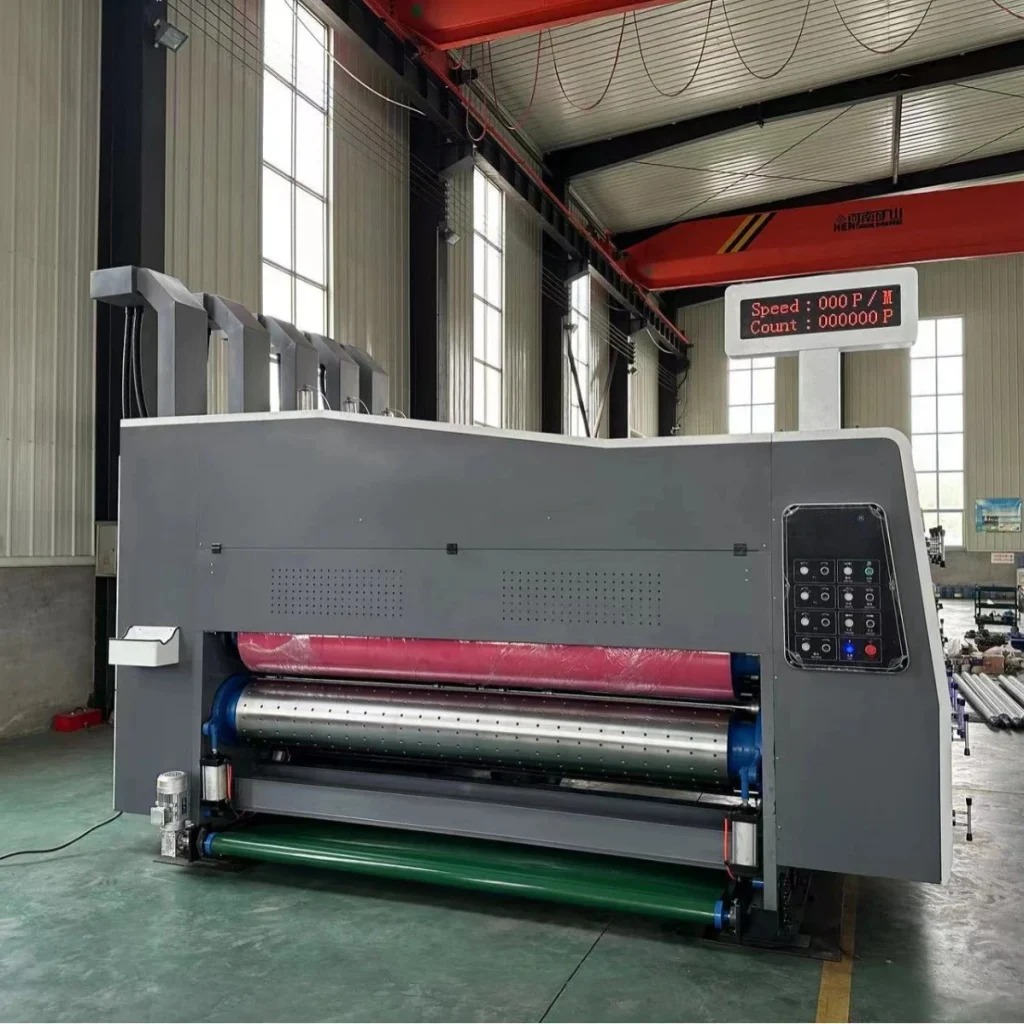
Choosing a flexo printer rotary die cutter is not simply a matter of comparing machine prices or selecting the model with the highest production speed. The right machine must match your carton sizes, printing requirements, daily output, factory layout and budget.
A machine with too few printing units may limit the orders you can accept. A machine with a higher speed rating may not deliver the expected daily output if your factory changes jobs frequently. Similarly, investing in high-end printing components may not be worthwhile if most of your orders are standard shipping cartons with simple text and solid-color printing.
Before purchasing a flexo printer rotary die cutter, it is important to establish what your factory actually needs and which machine configurations will help you produce efficiently.
This guide explains the main factors to consider, how to match printing configurations to different carton products, and what to confirm with a supplier before placing an order.
1. How Many Cartons Do You Need to Produce Each Day?
Your production target is one of the first things to establish because it helps determine the machine’s required working speed and level of automation.
However, daily output cannot be calculated from machine speed alone. You also need to consider working hours, job changeovers, printing requirements, board feeding stability, downtime and rejected sheets.
For example, suppose your factory operates eight hours per day. A machine running at 100 sheets per minute would theoretically process 48,000 sheets in eight hours:
100 sheets/minute × 60 minutes × 8 hours = 48,000 sheets.
This is a theoretical figure, not a guaranteed daily output. Actual production will be lower when setup, plate changes, ink adjustment, cleaning, stoppages and quality checks are included.
Before comparing machines, answer these questions:
- How many sheets or finished cartons do you need to produce per day?
- How many hours does the machine actually operate each day?
- What are the sizes and types of your most common orders?
- How many different jobs do you run per shift?
- Do you mainly produce large batches of the same carton or many small orders?
Match the machine to your production pattern
Large orders with relatively few job changes
Prioritize stable continuous operation, suitable working speed, feeding reliability and consistent printing and die-cutting performance. A high maximum speed is useful only if the machine can maintain the required quality under your actual production conditions.
Small orders with frequent job changes
Pay closer attention to setup time and changeover efficiency. Depending on the machine configuration, servo phase adjustment, stored job parameters, automatic adjustment functions and easier access for cleaning can save substantial production time.
For a factory producing many different carton designs each day, reducing changeover time may be more valuable than increasing the maximum running speed.
Growing production demand
Consider not only today’s output but also the range of orders you expect to accept in the next few years. If your current machine would restrict you from handling larger sheets, additional printing colors or more demanding carton designs, the initial savings may not justify the future limitations.
2. How Many Printing Colors Do You Need?
The required number of printing colors determines how many printing units your machine should have. The right choice depends on the artwork your customers actually order, rather than simply choosing the highest available number of colors.
Two-color printing: suitable for many standard cartons
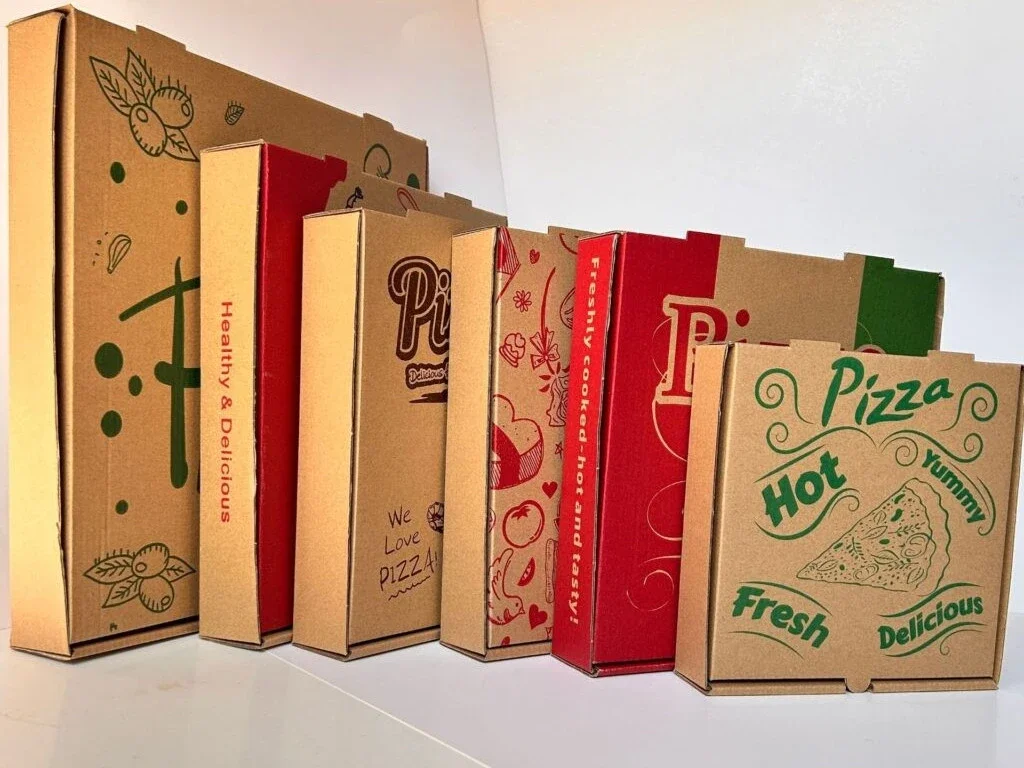
If most of your products are shipping cartons, e-commerce boxes or industrial packaging with simple logos, text, arrows, handling instructions and solid-color graphics, a two-color machine may be sufficient.
For this type of work, a conventional ink transfer configuration using metal anilox rollers and rubber ink transfer rollers may be a cost-effective option, provided it meets the required print quality and the machine is designed for that configuration.
Before choosing this setup, check that it can reproduce your smallest text, logos and other important markings clearly on the actual corrugated board you use.
Three- to five-color printing: for more complex artwork
If you regularly produce fruit boxes, retail-ready packaging, multicolor logos, halftone images or more demanding graphics, additional printing units may be necessary.
A three-, four- or five-color configuration can offer greater flexibility for different artwork and color combinations. However, the number of printing units alone does not guarantee high-quality printing.
The result also depends on the anilox rollers, printing plates, ink, board surface, impression settings, registration control and operator skill.
Before investing in additional colors, review several representative customer orders. Identify the maximum number of colors you genuinely need, how often those orders occur and whether the additional capability can generate enough business to justify its cost.
Practical rule: Choose the number of printing units according to your real order requirements and likely future business—not simply because a machine with more colors appears more advanced.
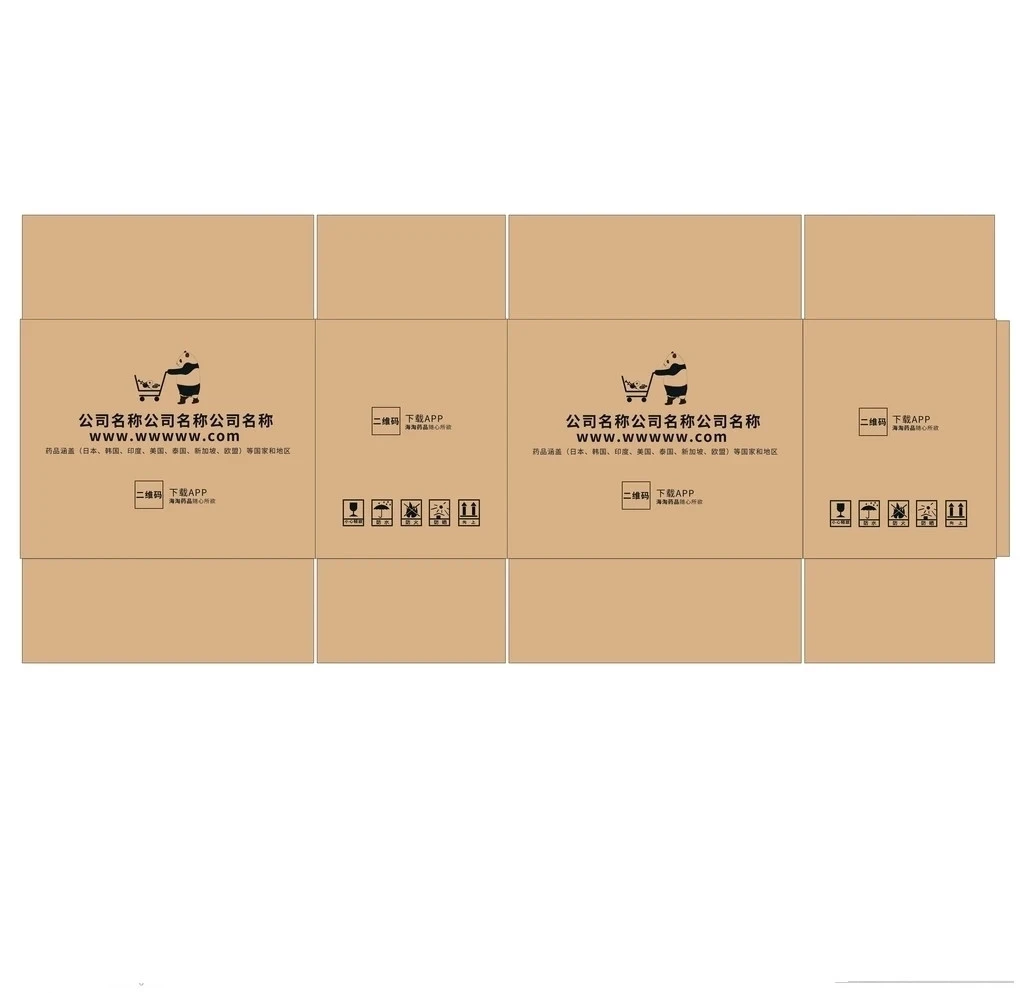
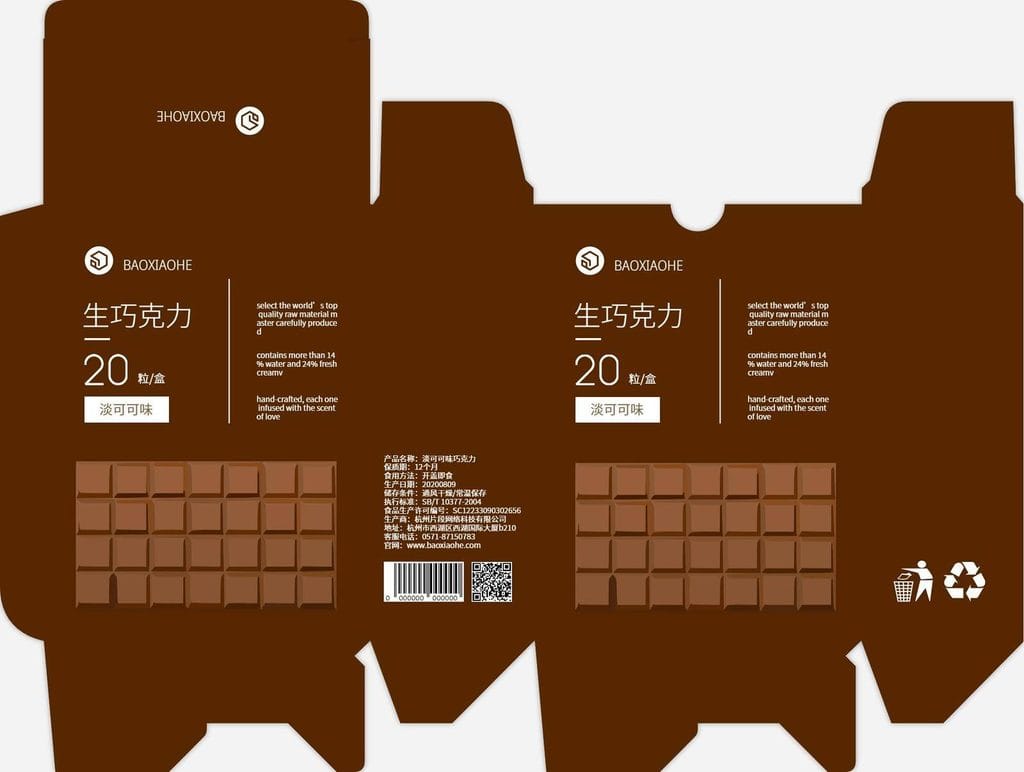
3. Do You Produce Standard Slotted Cartons or Special-Shaped Boxes?
The carton structure determines which processing units your machine needs.
Standard slotted cartons
For conventional corrugated shipping boxes, the usual operations include printing, slotting and creasing. If these are the main products you manufacture, a flexo printer slotter machine may be sufficient.
You should still confirm the supported carton structures, slotting dimensions, creasing capability and minimum and maximum board sizes.
Cartons requiring irregular cuts or special shapes
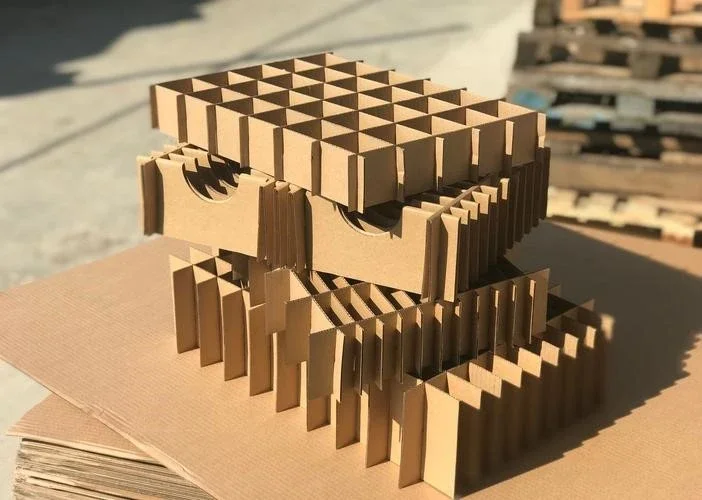
Some cartons need handle holes, shaped openings, curved edges or other cutting profiles that cannot be produced by ordinary slotting alone.
For these orders, you may need a rotary die-cutting unit and the appropriate cutting die. Depending on the machine design, slotting and rotary die-cutting functions may be combined in the same production line.
If you produce both standard slotted cartons and special-shaped boxes, evaluate whether one integrated machine can handle both product types within your required size and production ranges.
Before ordering, provide the supplier with actual carton drawings or cutting layouts. Ask the supplier to confirm which functions are included in the proposed configuration and which require additional equipment or tooling.
Do not assume that every flexo printer rotary die cutter has identical slotting and die-cutting capabilities.
4. How Do You Choose the Correct Machine Size?
Machine size should be selected according to the actual corrugated sheets entering the machine, not just the finished dimensions of your cartons.
A carton is cut, creased, folded and assembled from a flat corrugated blank. Its dimensions and layout determine the sheet size required for production.
Confirm the maximum and minimum sheet sizes
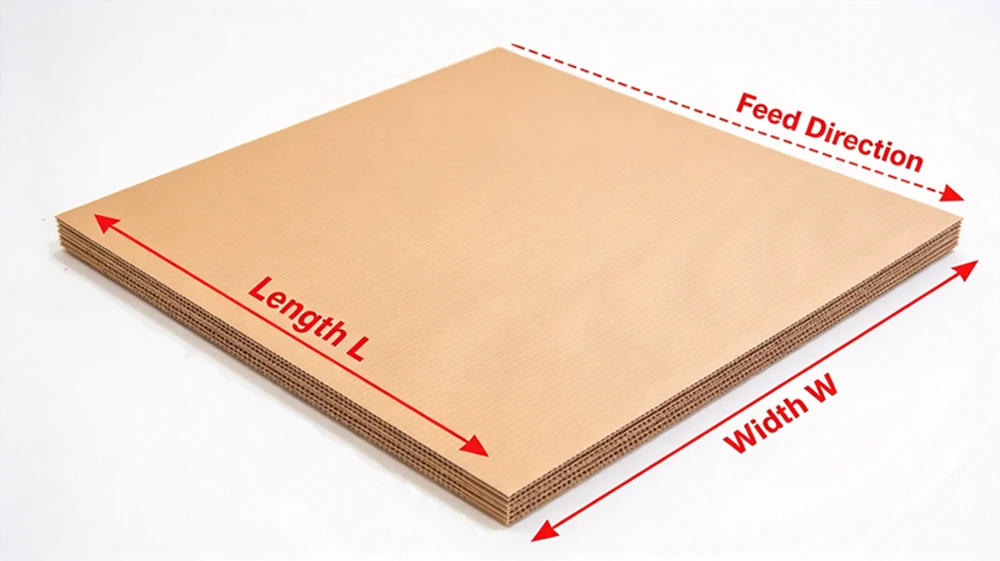
Prepare the following information before requesting a quotation:
- Maximum corrugated sheet length and width.
- Minimum sheet length and width.
- Typical sheet sizes used for your regular orders.
- Corrugated board flute types and ply structures, such as E, B, C, A, five-ply and seven-ply board, where applicable.
- Board thickness, condition and any special feeding requirements.
Ask the supplier to confirm both the maximum sheet size the machine can process and the minimum sheet size it can feed and print reliably.
A model number such as 1224, 1426 or 1628 may indicate a nominal working size under a particular manufacturer’s naming convention. However, these numbers are not universal standards. Always check the actual technical specifications rather than relying on the model name alone.
Should you choose a larger machine?
If your budget and factory space allow, a somewhat wider machine may give you more flexibility to accept future orders with larger sheets.
However, a larger model is not automatically the better choice. It may require more investment, floor space and operating resources. It is also important to confirm that the machine can handle your smallest sheets effectively.
The best approach is to compare your current sheet-size range with your expected future requirements, then choose a model that covers both without unnecessary oversizing.
5. How Do You Choose the Right Printing System?
Printing quality is influenced by several components working together. For corrugated flexographic printing, the anilox roller and ink-metering system are particularly important because they control how ink is delivered to the printing plate.
Two common configurations are conventional metal anilox rollers with rubber ink transfer rollers, and ceramic anilox rollers used with a chambered doctor blade system.
Neither configuration is automatically the best for every carton factory. The right choice depends on the artwork, required consistency, production volume, maintenance practices and total investment.
Option A: Conventional metal anilox rollers with rubber ink transfer rollers
This configuration can be appropriate for factories mainly producing standard cartons with simple text, large solid areas, basic logos and limited graphic requirements.
Potential advantages include a lower initial investment and a relatively straightforward setup.
However, performance still depends on roller condition, ink adjustment, pressure settings and the actual printing requirements. You should test the configuration with your own carton samples before deciding that it is sufficient.
For a factory whose orders are mostly straightforward shipping boxes, spending more on a high-end ink-metering system may not produce enough additional value to justify the investment.
Option B: Ceramic anilox rollers with a chambered doctor blade system
A ceramic anilox roller has an engraved surface designed to carry a controlled quantity of ink. In a chambered doctor blade system, the blade removes excess ink from the roller surface, helping control the ink film delivered to the printing plate.
When properly specified, maintained and operated, this configuration can improve ink metering consistency and support more demanding printing work.
It is worth evaluating when your factory regularly produces:
- More detailed logos and smaller text.
- Halftone images and gradient effects.
- Multicolor graphics requiring consistent ink transfer.
- Jobs where color consistency between production runs is important.
- Larger volumes of repeat orders where stable printing performance can reduce waste and adjustment time.
However, a ceramic anilox roller and chambered doctor blade do not automatically guarantee high-definition printing. Printing plates, ink properties, corrugated board surface, registration, impression pressure and operator practices remain important.
For demanding graphics, ask the supplier to demonstrate the machine using representative samples of your actual products.
How should you choose the anilox roller line count?
Anilox rollers are specified using both line count, commonly expressed in lines per inch (LPI), and cell volume. These two parameters work together, and neither should be selected in isolation.
A higher line count is not automatically better. Fine graphics may require a finer engraving, while large solid areas may require a different ink-transfer specification. Cell volume also affects ink delivery and must be matched to the printing application.
As an initial discussion with your supplier, the following configurations may help frame the decision. They are starting points for evaluation, not universal specifications.
| Printing application | Configuration to evaluate |
|---|---|
| Standard cartons with large text and solid graphics | Conventional metal anilox and rubber ink transfer rollers may be sufficient. |
| Mixed orders with occasional fine text, logos and barcodes | Consider ceramic anilox rollers and a chambered doctor blade on selected printing units, if the machine design supports this configuration. |
| Regular multicolor graphics and halftone printing | Evaluate ceramic anilox rollers and chambered doctor blades across the required printing units, with line count and cell volume specified for the actual artwork. |
For example, 200–250 LPI or 300–400 LPI may be discussed as possible starting ranges for certain corrugated printing applications. The correct specification must still be confirmed with the anilox supplier and matched to the printing plate, ink and board.
Do not order rollers based on line count alone. Ask the supplier to specify both line count and cell volume, and explain how the proposed combination suits your printing requirements.
Should every printing unit have a ceramic anilox roller and chambered doctor blade?
Not necessarily.
If most orders are simple but a portion require more demanding graphics, it may be worth evaluating a mixed configuration, with a higher-specification ink-metering system on selected printing units and conventional systems on the others.
If complex printing is a regular and important part of your business, equipping all required printing units with a suitable ceramic anilox and chambered doctor blade system may provide greater consistency.
Before deciding, confirm the additional cost, compatibility between the components, availability of replacement rollers and blades, cleaning requirements and operator training needs.
Also ask whether the proposed machine supports the required configuration as standard or whether modifications are necessary.
6. How Should You Balance Production Speed and Changeover Time?
Two factories buying similar machines may need different configurations because their order patterns are different.
A factory producing long runs of a few carton designs may benefit from stable continuous operation and higher working speed. A factory handling many small orders may gain more from reducing setup time between jobs.
For frequent changeovers, ask the supplier whether the machine offers:
- Servo-driven phase adjustment for relevant printing, slotting or die-cutting operations.
- Stored job parameters and repeat-job recall.
- Automatic or motorized adjustment of applicable settings.
- Convenient access for plate changes, cleaning and maintenance.
- Feeding and stacking systems suitable for the required operating pattern.
The availability of these functions varies by machine model. Confirm which functions are included in the quotation and which are optional.
Most importantly, ask for the expected production performance under your actual conditions. A maximum mechanical speed quoted by a manufacturer is not the same as the number of acceptable sheets your factory will produce during a full shift.
7. How Much Should You Budget for the Machine?
Your budget determines which combination of machine size, printing units, feeding system, automation and optional equipment is realistic.
It is usually more effective to prioritize the features that affect your current production and sales opportunities than to request every available upgrade.
For example:
- If you mainly produce standard shipping cartons, prioritize suitable sheet dimensions, reliable feeding, the required printing colors and stable slotting or die-cutting performance.
- If you regularly print complex graphics, allocate more of your budget to the printing system, suitable anilox rollers and ink-metering configuration.
- If you handle many different orders, evaluate changeover functions and automation that can reduce setup time.
- If labor availability or handling costs are major concerns, assess whether automatic stacking or downstream bundling equipment would improve the overall process.
When comparing quotations, check whether the machines have equivalent configurations. One quotation may include a chambered doctor blade, ceramic anilox rollers, automatic adjustment or stacking equipment, while another may exclude these items.
Compare the complete configuration, not just the headline machine price.
You should also account for installation, training, tooling, spare parts, transportation and ongoing maintenance where applicable.
8. Does Your Workshop Have Enough Space?
A machine must fit your workshop not only physically but also operationally.
Before placing an order, prepare a workshop layout showing the machine footprint, production flow, paperboard storage and finished-carton handling areas.
Check the following:
- Machine footprint: Confirm the actual dimensions of the complete configuration, including the feeder and stacking section.
- Foundation and installation requirements: Ask the supplier whether floor reinforcement, anchor points, rails or other installation provisions are required for the specific model.
- Infeed area: Reserve space for corrugated sheets waiting to be processed and for workers or handling equipment to load them safely.
- Outfeed area: Allow enough room for finished sheets or stacks to be removed without blocking the machine.
- Operator access: Leave sufficient clearance for operation, cleaning, inspection and maintenance.
- Material movement: Plan forklift, pallet truck or other handling routes so that paperboard and finished cartons can move without obstructing the production line.
- Safety: Keep required access routes, guards and emergency stops unobstructed, and follow the manufacturer’s installation and safety requirements.
Do not measure only the machine itself and assume the remaining workshop space will be sufficient. A cramped layout can create handling bottlenecks, make maintenance more difficult and increase safety risks.
Ask the supplier for the complete installation drawing before finalizing the workshop arrangement.
9. Do You Need Additional Equipment After Printing and Die-Cutting?
A flexo printer rotary die cutter may complete several converting operations in one line, but it does not necessarily finish every step required to deliver a completed carton.
Your downstream equipment should be selected according to how the boxes are assembled, stacked and prepared for storage or shipment.
Folder gluer or carton stitching machine
After printing, slotting and die-cutting, many cartons still need to be folded and joined.
A folder gluer is appropriate for cartons that are designed to be joined with adhesive. A carton stitching machine is suitable for applications requiring stitched joints, where the carton design and customer requirements permit them.
The correct choice depends on the carton structure, joining method, required output and product specifications.
Automatic stacking system
If you want processed sheets to be counted and stacked in an organized way, evaluate whether the machine’s stacking section meets your required stack size, handling method and production speed.
Bundling or strapping machine
If finished stacks need to be secured for storage or transportation, a suitable bundling or strapping machine may be useful.
Consider the bundle dimensions, number of cartons per bundle, strap requirements and whether the equipment can operate at the output rate of the upstream machine.
How should you plan an integrated line?
Avoid choosing each machine independently without considering the overall production flow.
The output rate of the printing machine, the capacity of downstream folder gluers or stitching machines, the stacking method and the bundling process should be compatible.
If your goal is to reduce manual handling, discuss the complete workflow with your supplier. A well-matched production line may be more valuable than purchasing a faster printing machine that creates a bottleneck at the next operation.
10. What Should You Confirm with the Supplier Before Ordering?
Before requesting a final quotation, prepare the following information.
Production requirements
- Daily output target and actual working hours.
- Typical order sizes and order-change frequency.
- Expected production growth.
Product requirements
- Maximum and minimum corrugated sheet dimensions.
- Board flute types, ply structures and thickness range.
- Number of printing colors and representative artwork.
- Standard slotted cartons, special-shaped boxes or both.
- Required cutting, creasing and slotting functions.
Machine configuration
- Feeding system and supported sheet-size range.
- Number of printing units.
- Anilox roller type, line count and cell volume.
- Ink-transfer and doctor blade configuration.
- Slotting and rotary die-cutting specifications.
- Phase adjustment, stored job parameters and other automation features.
- Stacking and downstream equipment requirements.
Commercial and technical details
- Complete machine configuration and optional equipment list.
- Factory testing and acceptance criteria.
- Installation and operator training arrangements.
- Warranty, spare parts and technical support.
- Delivery schedule, payment terms and transportation arrangements.
Ask the supplier to confirm important performance claims in writing and, where practical, demonstrate the machine using representative carton samples.
This makes it easier to compare quotations fairly and reduces the risk of purchasing a machine that does not match your actual production needs.
Frequently Asked Questions
What is a flexo printer rotary die cutter used for?
A flexo printer rotary die cutter is used to print and cut corrugated board for carton production. Depending on its configuration, the machine may combine feeding, flexographic printing, slotting, creasing, rotary die-cutting and stacking in one production line.
How many printing colors do I need for a corrugated box printing machine?
Two colors may be sufficient for many standard shipping cartons with simple text and logos. More printing units may be necessary for multicolor graphics, fruit boxes, retail packaging and more demanding artwork. The decision should be based on your actual orders and future requirements.
Is a ceramic anilox roller better than a metal anilox roller?
Ceramic anilox rollers can offer advantages in wear resistance and precision ink metering when correctly specified and maintained. However, the best choice depends on the printing application, required consistency, machine design and budget. A metal anilox configuration may remain suitable for straightforward carton printing.
Do I need a chambered doctor blade system for high-quality printing?
Not for every application. A chambered doctor blade system can help control ink transfer and consistency, particularly for demanding printing work. However, print quality also depends on the anilox specification, printing plates, ink, board surface, machine settings and operating practices.
Should I choose a machine with the highest production speed?
Not necessarily. Consider the actual output you need, the size and complexity of your orders, changeover frequency, printing quality and downstream equipment capacity. For factories handling many short runs, faster setup may be more valuable than a higher maximum mechanical speed.
How do I choose the right machine size?
Start with your largest and smallest corrugated sheet dimensions, then confirm the supported flute types and board thicknesses. Compare these requirements with the manufacturer’s actual working-size specifications and consider whether future orders may require a wider machine.
Need Help Selecting the Right Machine?
Choosing a flexo printer rotary die cutter involves more than selecting a model number. The machine must match your carton dimensions, printing requirements, production target, workshop layout and budget.
At Jeytop Carton Machinery, we can review your requirements and help evaluate a suitable machine configuration for your corrugated carton production.
To start, please share:
- Your maximum and minimum corrugated sheet sizes.
- The number of printing colors you need.
- Whether you mainly produce standard slotted cartons or special-shaped boxes.
- Your target daily output and working hours.
- Your budget and available workshop space.
- Whether you need downstream folder gluing, stitching, stacking or bundling equipment.
With this information, we can discuss a configuration that meets your production requirements without adding unnecessary features.
Contact us to discuss your corrugated carton production needs and request a machine configuration and quotation.