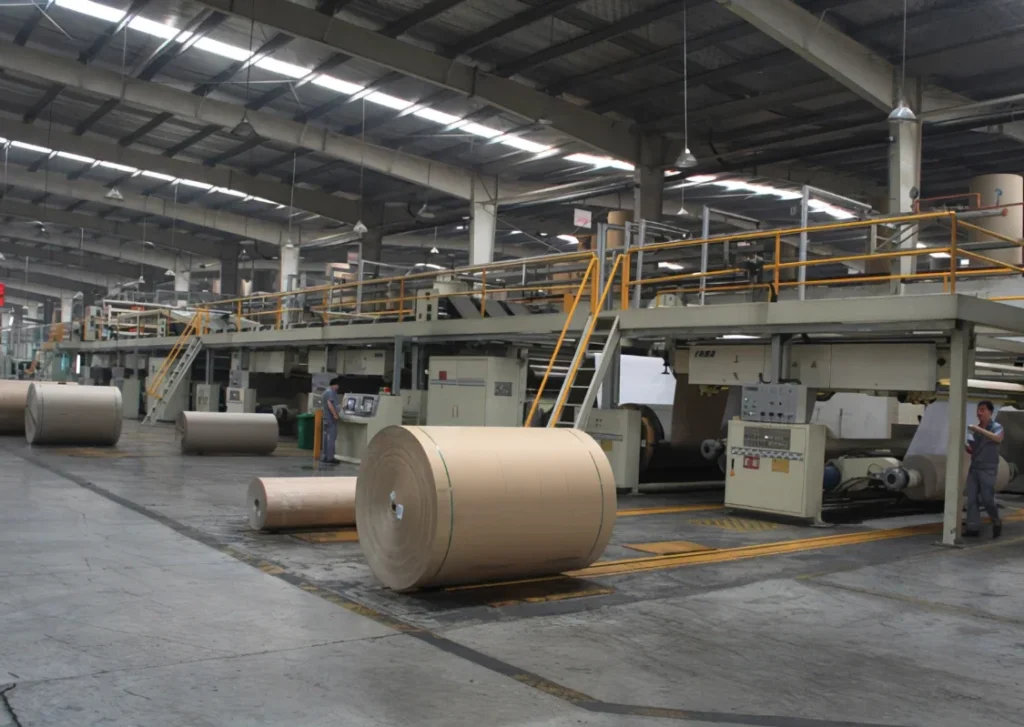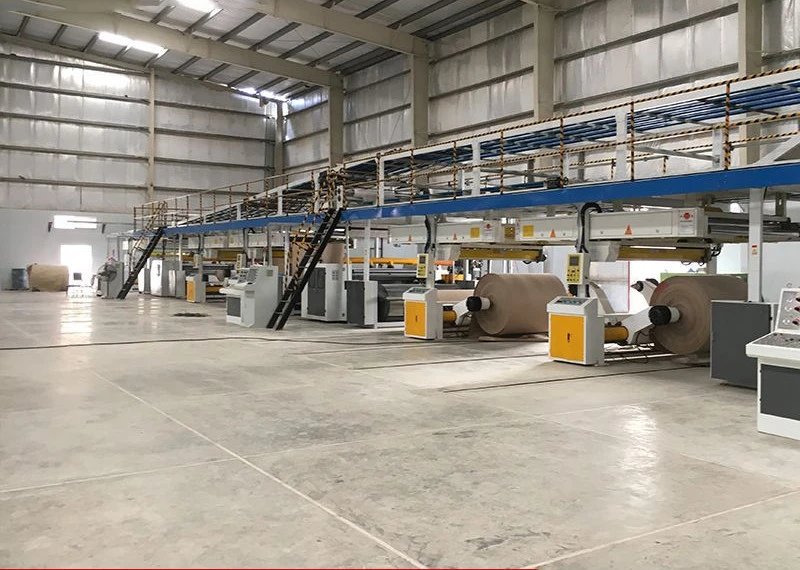
Reducing waste on a corrugator line is essential for improving production efficiency and controlling manufacturing costs in a corrugated board plant. During production, paper waste and defective boards can occur at several stages, from raw paper handling and corrugating to gluing, drying, slitting, and cutting.
Understanding how to reduce waste on a corrugator line starts with identifying the causes of material loss at each production stage and making targeted improvements to equipment, operating conditions, and production planning.
Some waste is unavoidable, such as the paper used for roll splicing, machine setup, and necessary edge trimming. However, excessive waste is often related to unstable machine operation, incorrect process settings, poor raw paper quality, improper adhesive conditions, or insufficient coordination between production sections.
Reducing waste does not simply mean increasing machine speed or minimizing every operating parameter. The objective is to maintain stable production conditions, produce corrugated board that meets quality requirements, and minimize unnecessary material loss.
The following guidelines explain common sources of waste on a corrugator line and practical ways to reduce them.
1. Reducing Waste at the Single Facer
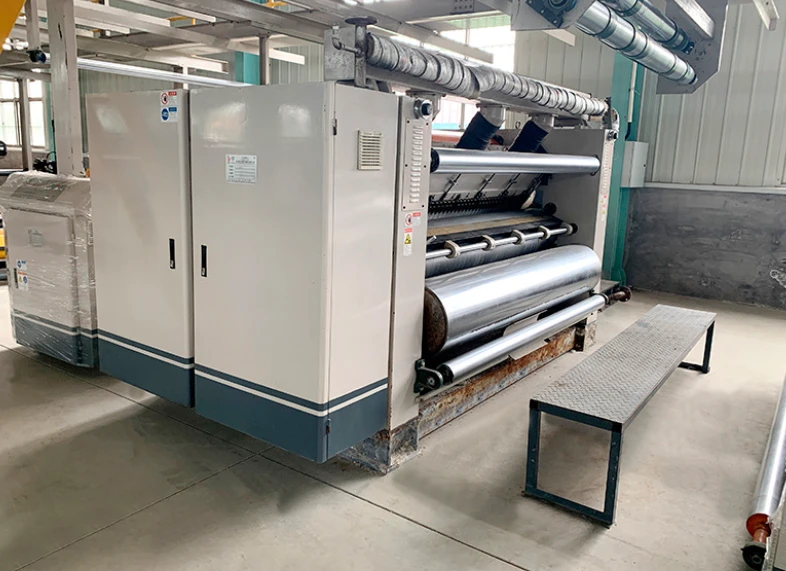
The single facer combines corrugating medium with a liner to produce single-face corrugated board. Problems at this stage can affect the entire downstream production process.
1.1 Check Raw Paper Quality Before Production
The quality and condition of incoming paper have a direct impact on corrugating stability.
Damaged paper edges, uneven moisture content, poor tensile strength, loose winding, and damaged roll surfaces can cause web breaks, unstable feeding, and defective corrugated board.
Before loading a paper roll, operators should check:
- Whether the roll edges are damaged or crushed
- Whether the paper surface has wrinkles, holes, or other visible defects
- Whether the roll is properly wound and stable
- Whether there are loose or damaged sections around the roll
- Whether the paper specification and moisture condition are suitable for the production order
Paper rolls with obvious defects should be identified before production. Where possible, unsuitable sections should be removed or handled according to the plant’s quality-control procedures.
Selecting appropriate paper quality and maintaining consistent incoming material specifications can reduce unnecessary breaks and defective board.
1.2 Control Preheating and Web Tension
Preheating helps condition the paper before corrugating and bonding. However, excessive preheating can reduce paper moisture and make the web more brittle, increasing the risk of breaks.
Paper breaks are not necessarily caused by temperature alone. Other factors include:
- Excessive web tension
- Incorrect roll stand brake settings
- Low paper tensile strength
- Uneven paper moisture
- Damaged paper edges
- Excessive resistance along the paper path
Operators should adjust preheating conditions according to paper type, grammage, moisture, flute profile, and production speed.
Roll stand brakes and tension controls should also be checked to ensure that the paper runs smoothly without unnecessary pulling force.
The aim is to maintain sufficient paper flexibility and stable web tension, rather than applying maximum preheating or tension.
1.3 Maintain Proper Corrugating and Glue Application Conditions
At the single facer, the corrugating medium is formed into flutes and bonded to the liner.
Poor flute formation, uneven adhesive application, or unsuitable operating conditions can result in weak bonding, crushed flutes, and other board defects.
Operators should regularly check:
- Corrugating roll condition and cleanliness
- Corrugating roll pressure and operating settings
- Adhesive application uniformity
- Adhesive condition and supply stability
- Paper alignment and feeding stability
The corrugating medium should be properly formed, and the adhesive should be applied consistently to the flute tips.
If bonding problems occur, check the adhesive system and the operating conditions together. Increasing adhesive application without identifying the cause may increase glue consumption without solving the underlying problem.
1.4 Plan Paper Roll Changes and Splicing Properly
Paper roll changes are an unavoidable source of material loss on a corrugator line. Poorly planned roll changes, however, can increase waste and cause production interruptions.
To reduce unnecessary loss:
- Prepare the next paper roll before the current roll runs out.
- Check the paper specification and roll condition before loading.
- Ensure that the splicing equipment is ready and operating correctly.
- Use the appropriate splicing tape and procedure for the paper and machine.
- Coordinate roll changes with downstream production conditions.
Paper roll lengths should also be considered when planning production. Large differences between the remaining lengths of different paper rolls can result in leftover material that is difficult to use efficiently.
Where practical, production orders and paper roll combinations should be planned to reduce unnecessary leftovers. Any remaining paper should be stored and reused only when its specification and condition are suitable for another production order.
1.5 Reduce Waste Caused by Unstable Production
Frequent machine starts and stops can generate additional waste because operators may need to discard paper or board produced during acceleration, deceleration, and process stabilization.
Common causes include:
- Poor coordination between production sections
- Frequent changes in production speed
- Unplanned paper roll changes
- Mechanical or electrical faults
- Incorrect production settings
- Inadequate preparation before starting a new order
Before production begins, operators should confirm the paper specifications, machine settings, adhesive conditions, and downstream requirements.
Production speed should be adjusted in coordination with the entire line. Avoid unnecessary speed changes, but never continue running simply to prevent waste when a safety issue or serious quality defect requires the machine to stop.
2. Reducing Waste on the Conveyor Bridge
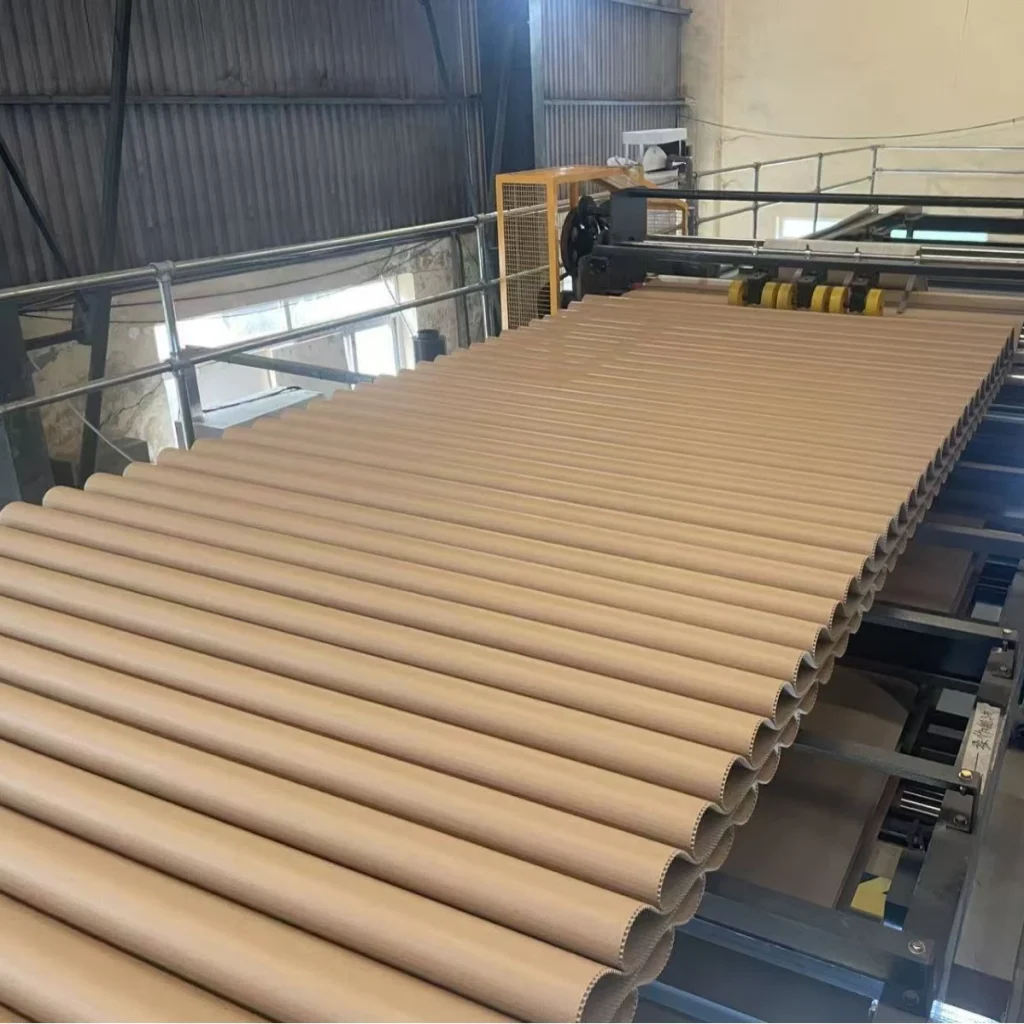
The bridge conveyor temporarily stores single-face corrugated board between the single facer and the double facer. It helps balance production speed between the upstream and downstream sections.
Poor bridge management can lead to unstable feeding, excessive board accumulation, or unnecessary production interruptions.
2.1 Maintain Appropriate Bridge Accumulation
The bridge should provide enough buffer capacity to accommodate normal speed differences between the single facer and double facer.
If the bridge becomes excessively full, there may be insufficient space to absorb additional production from the single facer. If the bridge becomes nearly empty, the downstream section may not receive a continuous supply of single-face board.
Operators should:
- Maintain bridge accumulation within the recommended operating range.
- Coordinate the speeds of the single facer and double facer.
- Avoid unnecessary or abrupt speed increases.
- Monitor changes in bridge accumulation during production.
- Investigate repeated overfilling or depletion instead of treating it as a normal operating condition.
The appropriate accumulation level depends on the line design, bridge capacity, and production speed. Operators should follow the equipment manufacturer’s operating recommendations.
2.2 Check Paper Width and Board Alignment
The paper widths used for liners and corrugating medium are not always identical. Their dimensions are determined by factors such as flute type, take-up factor, finished board width, and edge-trimming requirements.
Therefore, different paper widths should not automatically be treated as a production error.
However, incorrect paper-width combinations or poor alignment can cause uneven board edges, excessive trimming, and feeding problems.
To reduce waste:
- Confirm paper widths according to the board construction and production specifications.
- Check the centerline and edge alignment of the single-face web.
- Make sure the paper web runs smoothly through the guide system.
- Check whether the actual trimming allowance is appropriate for the order.
- Investigate repeated edge misalignment instead of compensating by increasing trim width.
Proper paper-width planning and alignment help reduce unnecessary edge waste while maintaining the required board dimensions.
2.3 Maintain Stable Single-Face Board Transport
Single-face board should travel smoothly from the single facer to the double facer.
Unstable transport, poor alignment, or incorrect bridge settings can cause wrinkles, damage, and feeding problems.
Operators should regularly inspect the bridge conveyor, guide rollers, tension-related components, and other transport parts according to the machine design.
The goal is to maintain stable board movement and ensure that the single-face web enters the gluing section in the correct position.
3. Reducing Waste During Gluing and Lamination
At the glue unit, adhesive is applied to the exposed flute tips of the single-face board before the outer liner is combined with it.
Poor adhesive conditions, incorrect application, and misalignment can result in weak bonding, glue contamination, and defective corrugated board.
3.1 Maintain Stable Starch Adhesive Quality
Starch adhesive plays an important role in corrugated board bonding. Its condition must remain suitable for the production requirements.
Problems such as unstable viscosity, unsuitable solids content, improper preparation, contamination, or inconsistent temperature can affect adhesive application and bonding performance.
Operators should pay attention to:
- Adhesive preparation and mixing procedures
- Viscosity and solids content
- Adhesive temperature and storage conditions
- Gelatinization characteristics
- Adhesive supply stability
- Cleanliness of adhesive pipes, tanks, and application components
The adhesive should be prepared according to the plant’s established formulation and process requirements.
If weak bonding or excessive glue consumption occurs, check adhesive quality, application settings, paper conditions, and operating parameters together. Simply increasing glue application is not a reliable solution.
3.2 Control Outer Liner Preheating
The outer liner may pass through a preheater before being combined with the single-face board.
Excessive preheating can reduce paper moisture and make the liner brittle, increasing the risk of cracking or web breaks.
However, insufficient conditioning may also affect bonding and board quality.
Operators should adjust preheating according to paper grammage, moisture, paper properties, production speed, and the machine’s operating requirements.
If the outer liner breaks frequently, also inspect roll stand tension, brake settings, paper edge condition, and the web path.
3.3 Check Web Alignment Before Lamination
The outer liner and single-face board must be properly aligned before entering the double facer.
Misalignment can cause uneven board edges, excessive trimming, and dimensional inconsistencies.
Check the alignment of:
- The outer liner from the roll stand
- Preheater and guide rollers
- Single-face board transport
- Web guiding and positioning components
- The entry position of the double facer
If the web repeatedly moves away from its correct position, identify the cause rather than simply increasing the trimming allowance.
4. Reducing Waste in the Double Facer and Hot Plate Section
The double facer combines the single-face board with the outer liner and uses heat and pressure to complete the bonding process.
This section is important for achieving stable bonding, board flatness, and consistent product quality.
4.1 Avoid Excessive Heating During Production Stops
When the corrugator stops for an extended period, board remaining in the hot plate section may continue to receive heat.
Depending on the board construction, temperature, and stoppage duration, this can cause excessive drying, changes in board moisture balance, and deterioration in board quality.
Operators should follow the manufacturer’s stop and restart procedures.
When a prolonged stop is expected, handle the board in the hot section according to the machine’s approved operating procedure. Do not remove or adjust material around moving or hot equipment without following the required safety measures.
After restarting, inspect the affected board before allowing it to proceed as normal production.
4.2 Maintain Stable Conveyor Belt Operation
The conveyor belt in the double facer helps transport and press the board through the hot plate section.
A belt that runs off-center, becomes damaged, or has unstable tension can affect board transport and the consistency of contact with the hot plates.
This may contribute to uneven processing conditions and unstable board quality.
Operators should regularly inspect:
- Conveyor belt alignment
- Belt tension according to machine requirements
- Belt surface condition
- Roller and support component condition
- Board transport stability
Belt tracking and tension should be adjusted according to the equipment manufacturer’s instructions.
If bonding problems occur at the same time, also check adhesive application, heating conditions, paper moisture, and board construction. Belt misalignment alone should not be assumed to be the cause of delamination.
4.3 Balance Heating Conditions and Production Speed
Heat is required to activate the starch adhesive and complete the bonding process. However, excessive heat or an unsuitable combination of temperature, speed, and moisture can lead to over-drying, board deformation, and other quality problems.
On the other hand, insufficient heating or an unsuitable production speed may prevent the adhesive from developing adequate bonding strength.
Operators should consider the following factors together:
- Hot plate temperature
- Steam pressure and heating stability
- Production speed
- Board construction and flute type
- Paper grammage and moisture
- Adhesive formulation and application
- Contact conditions in the hot plate section
If the board becomes excessively dry or brittle, do not simply increase production speed as a universal solution.
Instead, check whether the heating conditions are appropriate for the actual board construction and operating speed. Adjust the relevant parameters systematically and verify the results through board quality inspection.
The objective is to achieve sufficient adhesive bonding while maintaining a suitable moisture balance and board flatness.
4.4 Monitor Board Warp and Curl
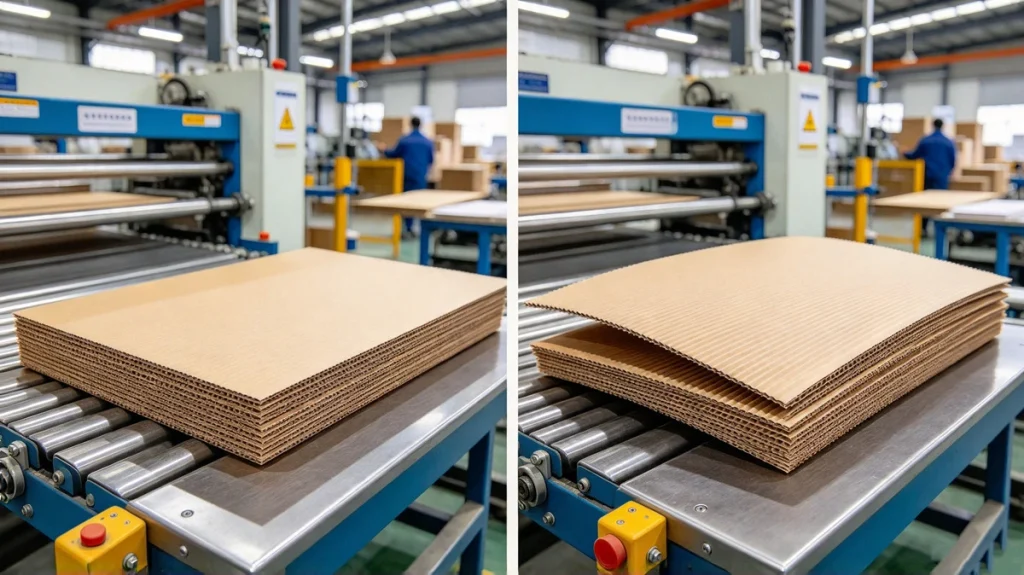
Board warp is another common quality issue in corrugated board production. Excessive warp can cause problems during stacking, printing, slotting, die cutting, folding, and other downstream processes.
Warp may be related to an imbalance in moisture and tension between the liners and corrugating medium.
Common contributing factors include:
- Uneven preheating between paper layers
- Excessive or insufficient moisture
- Unbalanced heating conditions
- Uneven adhesive application
- Different paper properties and grammages
- Improper web tension
- Unsuitable production settings for the board construction
When warp occurs, identify the direction and pattern of the deformation and check the relevant paper, heating, adhesive, and tension conditions.
There is no single temperature or tension setting that works for every board specification. Adjustments should be based on the actual materials, flute structure, machine configuration, and finished-board requirements.
5. Reducing Waste in the Slitter-Scorer and Cut-Off Section
After the corrugated board is bonded, it passes through the slitter-scorer and cut-off section, where it is trimmed, scored, and cut to the required dimensions.
Incorrect settings or worn components can generate large quantities of defective sheets, especially during order changes.
5.1 Set Creasing and Scoring Conditions Correctly
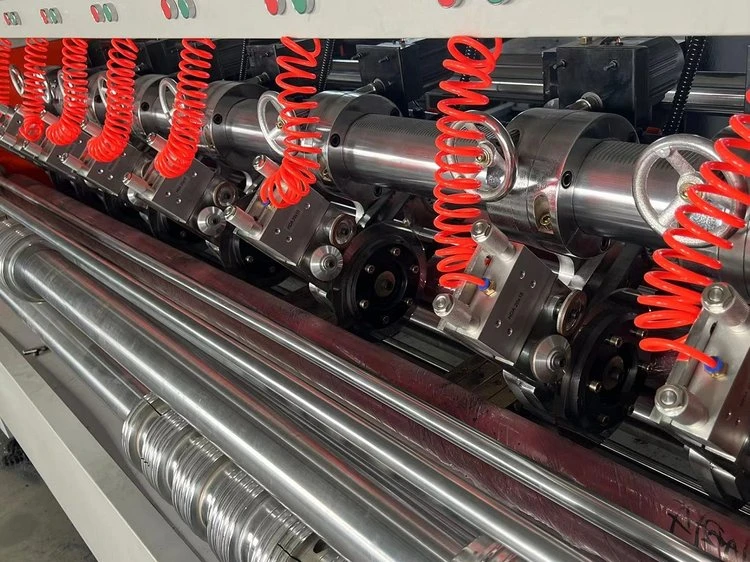
Incorrect scoring can cause liner cracking, poor folding performance, and dimensional problems in finished cartons.
Common causes include:
- Excessive scoring pressure
- Incorrect scoring wheel position
- Unsuitable scoring wheel profile or width
- Improper matching of scoring components
- Incorrect board moisture conditions
- Incorrect settings for different board thicknesses
Operators should select suitable scoring components and adjust their positions and pressure according to the board construction and machine design.
Before running a large production batch, inspect the scoring lines and check whether the board can be folded properly without excessive cracking or crushing.
5.2 Adjust Slitting Positions Accurately
The slitter-scorer cuts the board to the required width and creates scoring lines for carton folding.
Incorrect slitting positions can produce boards with unsuitable dimensions, excessive edge trimming, or incorrect carton sizes.
To reduce waste:
- Confirm the required carton and board dimensions before setting the machine.
- Check slitter blade sharpness and condition.
- Verify blade clearance and positioning according to the machine design.
- Check board alignment and feeding stability.
- Confirm the scoring positions after adjustment.
- Inspect the first sheets after each order change.
Accurate setup before production is particularly important when switching between orders with different dimensions.
5.3 Maintain Cut-Off Knife Condition and Cutting Accuracy
The cut-off section cuts the corrugated board to the required sheet length.
Worn or damaged cutting blades, incorrect blade clearance, poor alignment, and unstable machine operation can result in poor cutting quality and dimensional errors.
Operators should inspect the cutting blades and related components regularly and maintain them according to the manufacturer’s requirements.
The cutting setup should be checked after adjustments or maintenance. The cutting accuracy of the first sheets should be verified before continuing with full production.
5.4 Reduce Setup Waste During Order Changes
Order changes are a normal part of corrugated board production, but frequent or poorly prepared changes can increase waste.
Before changing an order, operators should confirm:
- Paper specifications and widths
- Flute type and board construction
- Required board dimensions
- Slitting and scoring positions
- Cut-off length
- Downstream production requirements
Where possible, group orders with similar paper specifications, flute types, or board widths to reduce unnecessary setup changes.
Clear production instructions and coordination between operators can also reduce adjustment time and the number of rejected sheets.
6. Additional Measures to Improve Paper Utilization
In addition to optimizing individual machine sections, overall production planning and maintenance have a significant influence on material utilization.
6.1 Optimize Paper Width and Production Scheduling
Paper width selection should take into account the finished board width, flute take-up factor, edge trimming, and the specifications of each production order.
Using an unsuitable paper-width combination may result in excessive edge trimming or unnecessary leftover material.
Production planners should consider:
- Combining orders with similar board widths where practical
- Matching paper roll widths to the production requirements
- Considering flute take-up factors when calculating corrugating medium width
- Planning roll usage to reduce leftover paper
- Reviewing actual trimming loss during production
Paper-width optimization should not compromise board dimensions, edge quality, or production stability.
6.2 Control Edge Trimming
Edge trimming is necessary to remove uneven or damaged board edges and achieve the required finished width.
However, excessive trimming reduces material utilization.
Operators should check the alignment of the paper webs and board before the slitter-scorer and use an appropriate trimming allowance based on the line configuration, board specifications, and actual edge condition.
The trimming width should be determined by production requirements rather than using one fixed value for every order.
6.3 Establish Routine Equipment Inspection and Maintenance
Worn, damaged, or poorly adjusted components can cause repeated defects and material loss.
Routine inspection should cover relevant components such as:
- Corrugating rolls and pressure components
- Preheaters and guide rollers
- Glue application components
- Conveyor belts and rollers
- Slitter blades and scoring wheels
- Cut-off knives
- Paper roll stands and tension-control components
Preventive maintenance helps identify developing problems before they cause major production interruptions or large quantities of defective board.
Maintenance work should follow the equipment manufacturer’s instructions and the plant’s safety procedures.
6.4 Record and Analyze Waste by Production Section
Waste reduction becomes more effective when the plant knows where and why material is being lost.
Instead of recording only the total amount of waste, operators and production managers should classify waste by source, such as:
- Paper breaks at the single facer
- Roll splicing and roll-change waste
- Bridge-related production interruptions
- Gluing and bonding defects
- Over-dried or warped board
- Edge trimming
- Slitting, scoring, and cutting defects
- Order change and machine setup waste
By comparing waste records across different orders, paper specifications, and machine settings, the plant can identify recurring problems and prioritize corrective actions.
7. How Corrugator Equipment Can Help Reduce Production Waste
Good operating practices are essential, but suitable equipment can also help improve production stability and reduce waste at specific stages of the corrugating process.
Depending on the production line configuration and the actual source of waste, the following equipment may be worth considering.
7.1 Automatic Splicer: Reducing Waste During Paper Roll Changes
An automatic splicer connects the end of a running paper roll to the beginning of a new roll, helping maintain continuous paper feeding during roll changes.
Compared with manual roll changes, a properly configured automatic splicing system can reduce the interruption associated with changing paper rolls and help control the amount of paper lost during the changeover.
Its actual waste-reduction effect depends on splicing speed, paper condition, machine synchronization, operator preparation, and the design of the splicing system.
For corrugator lines with frequent roll changes or high production requirements, an automatic splicer can be an important option to consider.
7.2 Web Guiding System: Improving Paper Alignment
A web guiding system detects and corrects lateral movement of the paper web to help maintain its position during feeding and processing.
If paper movement is unstable, the web may become misaligned, resulting in uneven edges, additional trimming, or feeding problems.
A suitable web guiding system can help maintain more consistent paper alignment and reduce waste caused by lateral web movement.
However, web guiding equipment does not replace correct paper-width planning, proper roll loading, or mechanical alignment. The system should be selected according to the web width, material characteristics, line speed, and installation position.
7.3 Automatic Tension Control: Supporting Stable Paper Feeding
Stable paper tension is important for preventing web breaks, wrinkles, and feeding problems.
Depending on the corrugator design, automatic tension control and suitable roll stand systems can help maintain more consistent paper tension during production and roll changes.
When selecting this equipment, the control method, paper grammage range, roll diameter, and compatibility with the existing line should be considered.
7.4 Other Equipment and Production-Line Improvements
Other equipment may also contribute to reducing waste, depending on the production problems being addressed.
Examples include:
- Automatic paper roll stands: Help improve roll handling and support stable paper feeding.
- Preheater systems: Provide controlled paper conditioning before corrugating and lamination.
- Glue unit improvements: Help maintain more consistent adhesive application.
- Slitter-scorer systems: Support accurate board trimming and scoring.
- Automatic control systems: Help coordinate operating conditions between different production sections.
Not every plant needs all of these systems. Equipment selection should be based on the existing line configuration, production capacity, paper specifications, current waste sources, and investment budget.
Conclusion
Reducing waste on a corrugator line requires more than adjusting one machine or changing one operating parameter. It involves raw paper quality, paper handling, web tension, corrugating conditions, adhesive preparation, heating, board alignment, slitting, cutting, maintenance, and production planning.
The most effective approach is to identify where waste occurs, determine its actual cause, and make targeted improvements. Regular inspection, stable operating conditions, accurate machine settings, and good coordination between production sections all contribute to better material utilization and more consistent corrugated board quality.
If you are planning to improve an existing corrugator line or select equipment for a new production line, Jeytop Carton Machinery can help you evaluate suitable machinery and configurations.
We supply corrugated board production equipment and related systems, including automatic splicers, web guiding systems, paper roll stands, and other corrugator line equipment. The appropriate solution depends on your current production process, paper specifications, line speed, and the type of waste you want to reduce.
Contact Jeytop Carton Machinery to discuss your corrugator line requirements. Share your existing line configuration and the production problems you are experiencing, and our team can help you identify suitable equipment options.